Designing a solar system demands precise calculations, comprehensive site analysis, and strategic component selection to achieve seamless solar integration. Modern photovoltaic design software revolutionizes this process, enabling professionals to optimize array configurations, predict energy yields, and ensure regulatory compliance with unprecedented accuracy. Advanced modeling tools now incorporate sophisticated algorithms that account for local weather patterns, shading analysis, and equipment specifications, transforming complex engineering challenges into manageable workflows. By leveraging these digital solutions alongside traditional engineering principles, designers can create highly efficient solar installations that maximize energy production while minimizing installation costs and maintenance requirements. This systematic approach to solar system design represents a critical advancement in renewable energy deployment, offering a scalable solution for meeting growing global energy demands through sustainable technology implementation.
Essential Design Tools for Solar System Planning
Solar Design Software Platforms
Several sophisticated software platforms have emerged to streamline the solar system design process, each offering unique capabilities for professionals and enthusiasts. PVsyst stands out as an industry standard, providing comprehensive system modeling, detailed shading analysis, and accurate energy yield predictions. Aurora Solar has gained prominence for its seamless integration of satellite imagery and adaptive PV design solutions, enabling designers to create precise layouts without on-site visits.
HelioScope excels in commercial applications, offering advanced features for complex roof geometries and detailed electrical design capabilities. For those seeking accessibility, SAM (System Advisor Model) provides free, professional-grade analysis tools developed by the National Renewable Energy Laboratory. OpenSolar combines design functionality with customer relationship management tools, making it particularly valuable for solar installers.
These platforms typically include essential features such as:
– 3D modeling capabilities
– Shade analysis tools
– Production forecasting
– Financial analysis modules
– Project documentation generation
– Component database integration
When selecting design software, consider factors like project scale, required accuracy level, and integration needs with other business systems. Most platforms offer free trials, allowing users to evaluate their interfaces and capabilities before committing to a subscription. Regular updates ensure compliance with evolving industry standards and incorporation of new technologies.

Mobile Apps for Site Assessment
Mobile applications have revolutionized the initial stages of solar system design by enabling quick, on-site assessments using smartphone technology. These apps leverage device sensors, GPS data, and sophisticated algorithms to provide preliminary solar potential evaluations.
Popular apps like Solmetric SunEye and Aurora Solar offer comprehensive site assessment capabilities, including shade analysis, solar access calculations, and preliminary system sizing. These tools utilize the device’s camera and orientation sensors to create detailed solar pathfinder reports, helping installers identify optimal panel placement locations.
Solar design professionals frequently employ apps such as PVComplete and SolarUp for rapid roof measurements and preliminary layout designs. These applications integrate with aerial imagery and can generate basic 3D models of installation sites, streamlining the assessment process significantly.
For basic assessments, free apps like Sun Surveyor and Sun Seeker provide solar path visualization tools that help users understand how shadows will affect potential installation areas throughout the year. While these apps shouldn’t replace professional assessment tools for final system design, they serve as valuable preliminary evaluation resources.
When selecting a mobile app for site assessment, consider factors such as measurement accuracy, reporting capabilities, and integration with other design software. Professional-grade apps typically offer cloud storage, team collaboration features, and the ability to export data to detailed design platforms for further analysis.
Remember that mobile apps should complement, not replace, comprehensive site surveys and professional evaluation tools in the final system design process.
Interactive Design Features That Matter

3D Modeling and Visualization
Modern 3D modeling and visualization tools have revolutionized the solar system design process, offering unprecedented accuracy and efficiency in planning photovoltaic installations. These advanced software solutions enable designers to create detailed virtual representations of installation sites, complete with precise measurements and environmental considerations.
Using sophisticated CAD-based platforms, designers can generate accurate models of rooftops, surrounding structures, and landscape features that might affect solar panel performance. These tools incorporate real-world data, including sun paths, shadowing effects, and local weather patterns, to optimize panel placement and orientation. The integration of personalized solar interfaces allows stakeholders to visualize and interact with design proposals effectively.
Advanced visualization capabilities enable designers to conduct comprehensive shade analysis, identifying potential obstructions and their impact on system performance throughout the year. This feature proves invaluable for maximizing energy yield and ensuring optimal component placement. The software can simulate different panel configurations, helping designers determine the most efficient layout while considering structural limitations and accessibility requirements.
These tools also facilitate collaborative decision-making by generating detailed reports and realistic 3D renderings that clients and installation teams can easily understand. They provide accurate measurements for mounting hardware placement, cable routing, and equipment locations, significantly reducing on-site complications during installation.
Additionally, many platforms now offer virtual reality (VR) and augmented reality (AR) capabilities, allowing stakeholders to experience the proposed system design in an immersive environment before construction begins. This technology helps identify potential issues early in the design phase, saving time and resources during implementation.
Real-time Performance Calculators
Real-time performance calculators are essential tools that enable designers and installers to accurately predict solar system output and efficiency. These digital instruments combine meteorological data, geographical information, and equipment specifications to generate precise energy production estimates.
Modern solar calculators incorporate sophisticated algorithms that account for multiple variables, including solar irradiance levels, panel tilt angles, shading factors, and temperature coefficients. Industry-standard tools like PVWatts and SAM (System Advisor Model) provide detailed hourly simulations of system performance throughout the year.
These calculators typically feature user-friendly interfaces where designers can input specific system parameters such as:
– Panel wattage and efficiency ratings
– Inverter specifications
– Array orientation and tilt
– Local weather patterns
– Site-specific shading analysis
– System losses and derating factors
The output data includes:
– Annual energy production estimates
– Monthly performance variations
– Peak production periods
– System efficiency metrics
– Financial return calculations
Professional-grade calculators often integrate with CAD software and 3D modeling tools, allowing designers to visualize system layout and optimize component placement. Many also feature built-in databases of certified equipment specifications, streamlining the component selection process.
For maximum accuracy, these tools should be used in conjunction with on-site assessments and professional expertise. Regular updates to calculation parameters ensure that performance estimates reflect current technology standards and regional environmental conditions. This comprehensive approach helps designers create optimized solar systems that meet specific energy requirements while maintaining technical feasibility and economic viability.
Customization Options for Different Needs
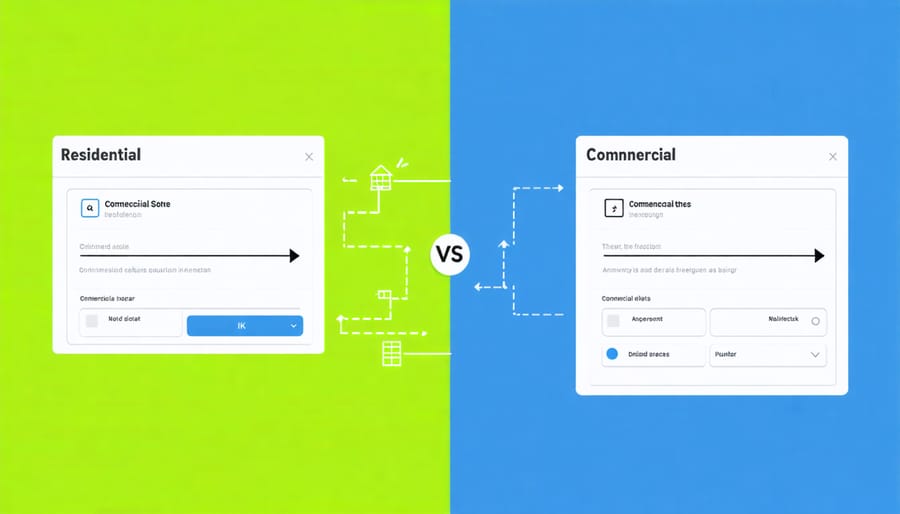
Residential vs. Commercial Design Features
The design requirements for residential and commercial solar installations differ significantly, reflecting their distinct scales and operational needs. Residential systems typically focus on maximizing energy production within limited roof space, requiring tools that emphasize simple layout optimization and aesthetic considerations. These tools often feature user-friendly interfaces with basic shading analysis and energy consumption matching capabilities.
Commercial design tools, conversely, offer more sophisticated features to handle complex system architectures. They incorporate advanced financial modeling, detailed electrical engineering calculations, and comprehensive project management capabilities. These tools usually support multiple array configurations, advanced stringing options, and detailed wire sizing calculations essential for larger installations.
Key differences in design features include scalability requirements, where commercial tools must handle multiple inverter configurations and extensive string calculations. Residential tools prioritize streamlined permit documentation and homeowner-friendly visualization features. Commercial software typically includes advanced monitoring capabilities, detailed performance modeling, and integration with building management systems.
Both categories share fundamental features like solar resource assessment and basic system modeling. However, commercial tools emphasize detailed technical documentation, compliance with industrial standards, and integration with enterprise-level software systems. Residential tools focus more on simplified proposal generation, basic financial analysis, and straightforward permit documentation suitable for local jurisdiction requirements.
Budget-based System Configuration
When designing a solar system within budget constraints, utilizing specialized software tools and calculators becomes essential for optimizing system configurations. Modern design platforms offer comprehensive features that allow users to input their budget parameters and receive detailed recommendations for component selection and system sizing.
Begin by establishing your total budget and breaking it down into major cost categories: panels, inverters, mounting hardware, and installation costs. Many professional design tools include built-in cost databases that automatically update with current market prices, enabling accurate financial planning.
System optimization software can perform multiple iterations of designs within your specified budget range, considering factors such as:
– Panel quantity and efficiency ratings
– Inverter sizing and configuration options
– Energy storage requirements
– Balance of system components
– Installation and labor estimates
These tools typically generate several viable configurations, each with detailed cost-benefit analyses. They calculate key financial metrics including payback period, return on investment, and levelized cost of energy (LCOE). This allows designers to make informed decisions about trade-offs between system performance and cost.
For maximum effectiveness, incorporate local utility rates, available incentives, and financing options into the optimization process. Many tools can integrate these variables to provide more accurate long-term cost projections and help identify the most cost-effective system configuration while meeting performance requirements.
Remember to allocate a contingency budget of 5-10% for unexpected expenses or system modifications that may arise during the implementation phase.
Integration with Professional Standards
Modern solar system design tools are engineered to ensure compliance with rigorous professional installation standards and industry regulations. These platforms incorporate built-in validation checks that verify designs against current electrical codes, structural requirements, and safety protocols.
Leading design software automatically applies relevant standards from organizations such as the International Electrotechnical Commission (IEC), National Electrical Code (NEC), and local building codes. This integration helps designers maintain compliance while streamlining the planning process. The software typically includes updated databases of certified equipment and components, ensuring that only approved materials are specified in system designs.
Quality design tools feature automated checks for critical parameters such as voltage limits, conductor sizing, and proper grounding requirements. They analyze structural loads, wind resistance, and seismic considerations according to regional building codes. These verification processes help prevent costly errors and ensure designs meet regulatory requirements before installation begins.
Many platforms also generate comprehensive documentation required for permit applications and utility interconnection agreements. This documentation includes detailed electrical diagrams, structural calculations, and equipment specifications that demonstrate compliance with applicable codes and standards. The software can automatically flag potential compliance issues and suggest corrections, reducing the risk of permit rejection or installation delays.
Regular software updates ensure that design tools remain current with evolving industry standards and regulatory changes. This continuous adaptation helps designers stay informed about new requirements and incorporate them into their projects efficiently. The integration of professional standards into design software serves as a crucial quality control measure, promoting safety and reliability in solar installations while simplifying the compliance verification process for designers and installers.
Enhanced user interaction in solar system design has proven to be a transformative approach that significantly improves project outcomes while reducing costly errors and implementation delays. By incorporating interactive design elements and user-friendly interfaces, stakeholders can better visualize, understand, and optimize their solar installations before physical implementation begins.
The benefits of this enhanced interaction extend beyond mere convenience. Design professionals report increased client satisfaction and faster project approvals when utilizing interactive tools that allow real-time modifications and instant feedback. These collaborative platforms enable seamless communication between engineers, installers, and property owners, ensuring all parties remain aligned throughout the design process.
Furthermore, enhanced user interaction has demonstrated substantial cost-saving potential through early detection of design conflicts and optimization opportunities. The ability to virtually test different configurations and equipment combinations helps stakeholders make informed decisions based on comprehensive performance data and financial projections.
The educational value of interactive design tools cannot be understated. They serve as powerful learning platforms for both professionals and clients, fostering better understanding of solar system components, installation requirements, and performance expectations. This improved knowledge base leads to more efficient project execution and enhanced long-term system maintenance.
As solar technology continues to evolve, the role of user interaction in system design will become increasingly crucial. Organizations that embrace these interactive tools position themselves at the forefront of the renewable energy sector, ready to meet the growing demands of an environmentally conscious market.